Floating Features
Floating Product Feature Setup
Before creating a floating product feature, set up the product first: Creating & Configuring Products.
To create floating feature go to Product -> Features -> Add product feature [button]
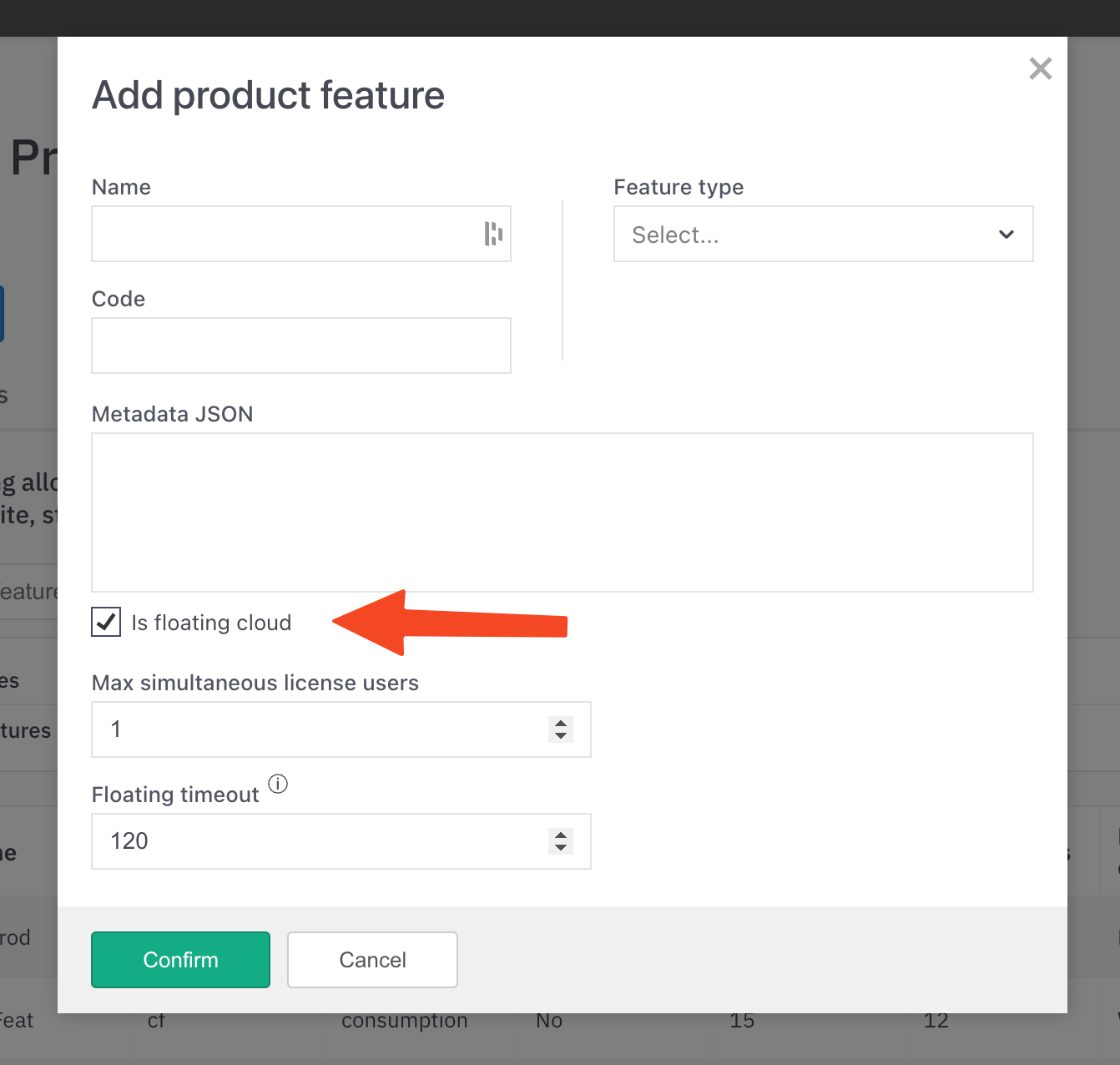
Check
Is floating cloudcheckboxEnter default value for
Max simultaneous feature users(in the data model this is thefloating_usersfield which determines how many users can use the feature simultaneously)Enter default value for
Floating timeout(after how many minutes of inactivity the license feature device will be released)
Max simultaneous feature users and Floating timeout fields are default values for Product features and they can be overwritten when creating License product feature.
Create License Product Feature
License product feature is created when issuing a license and attaching a feature to it.
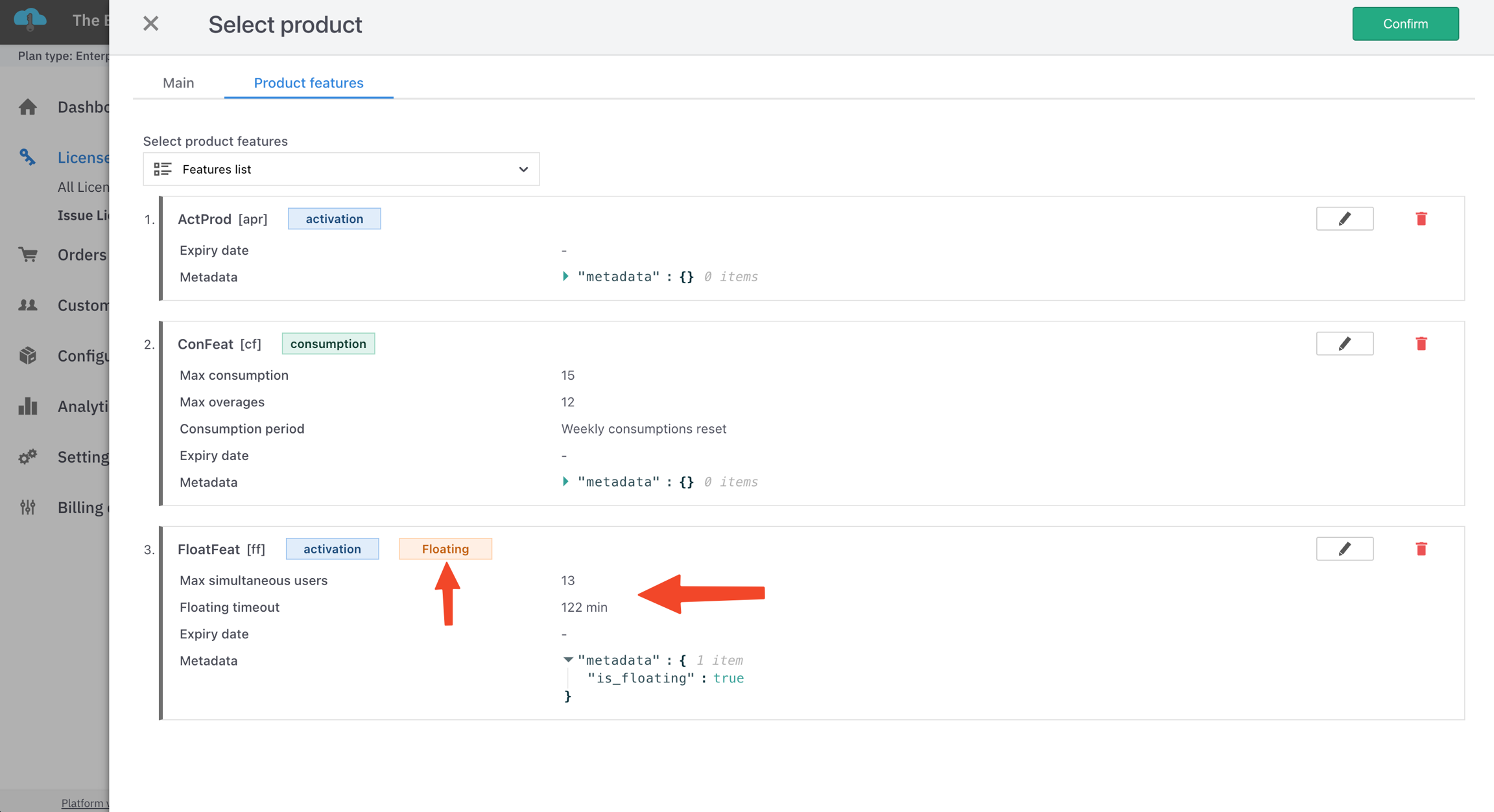
This can be done programmatically when creating an order or editing license features using the Management API. See: Create Product Feature. Floating features will have an orange colored label floating.
Here you can also overwrite default values for Max simultaneous license users and Floating timeout.
License Features View
To see the License product features details go to the License -> Product features [tab].
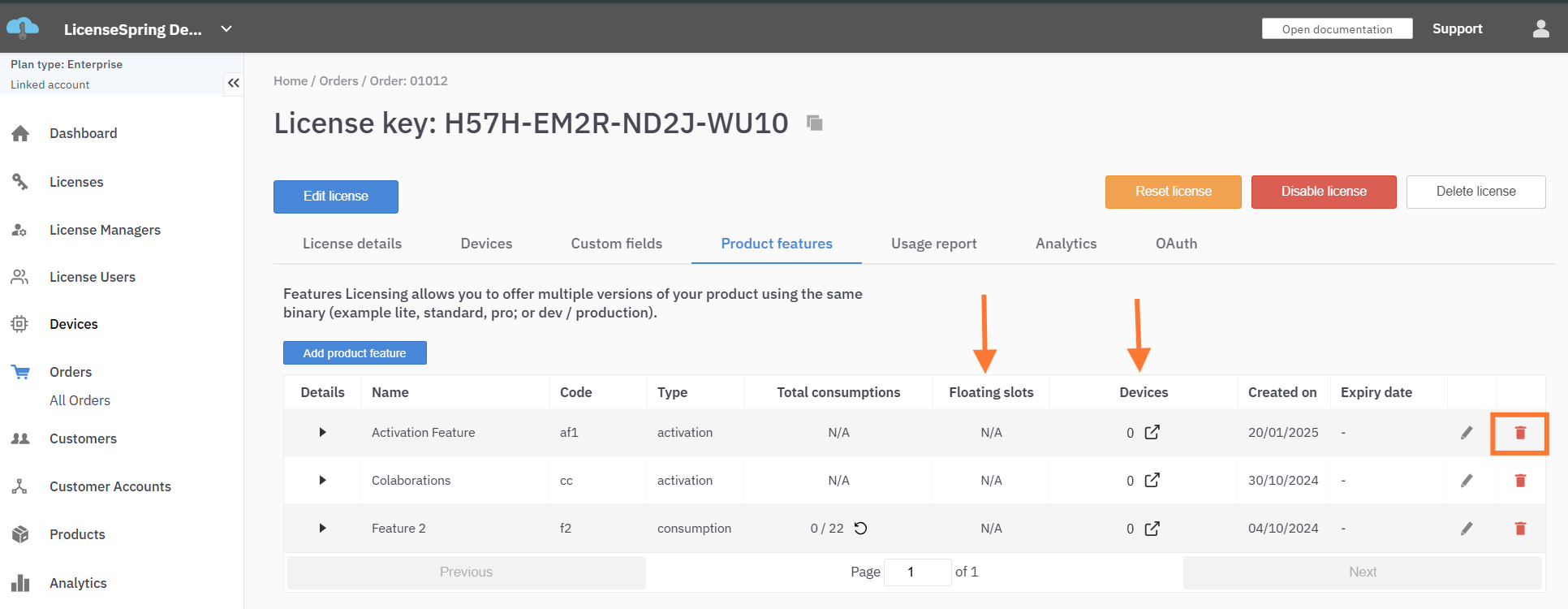
If a license feature is a floating feature, under the Floating slots column you should see information about how many floating slots are available and how many are used in the form used_slots/max_slots (e.g. 1/5 = one used slot of five available). Additional floating feature information can be observed when expanding the row by clicking on the Details icon on that row. Fields displayed there will be:
Is floating cloudMax simultaneous usersFloating timeout
The Devices column will display all the devices which were used to check the specific feature using the License API endpoint /api/v4/check_license_feature. See: License Feature Check.
Any license device can check any license feature; it does not have to be a floating feature. This allows displaying a clear connection between license devices and the features they use. It is not required for non-floating features.
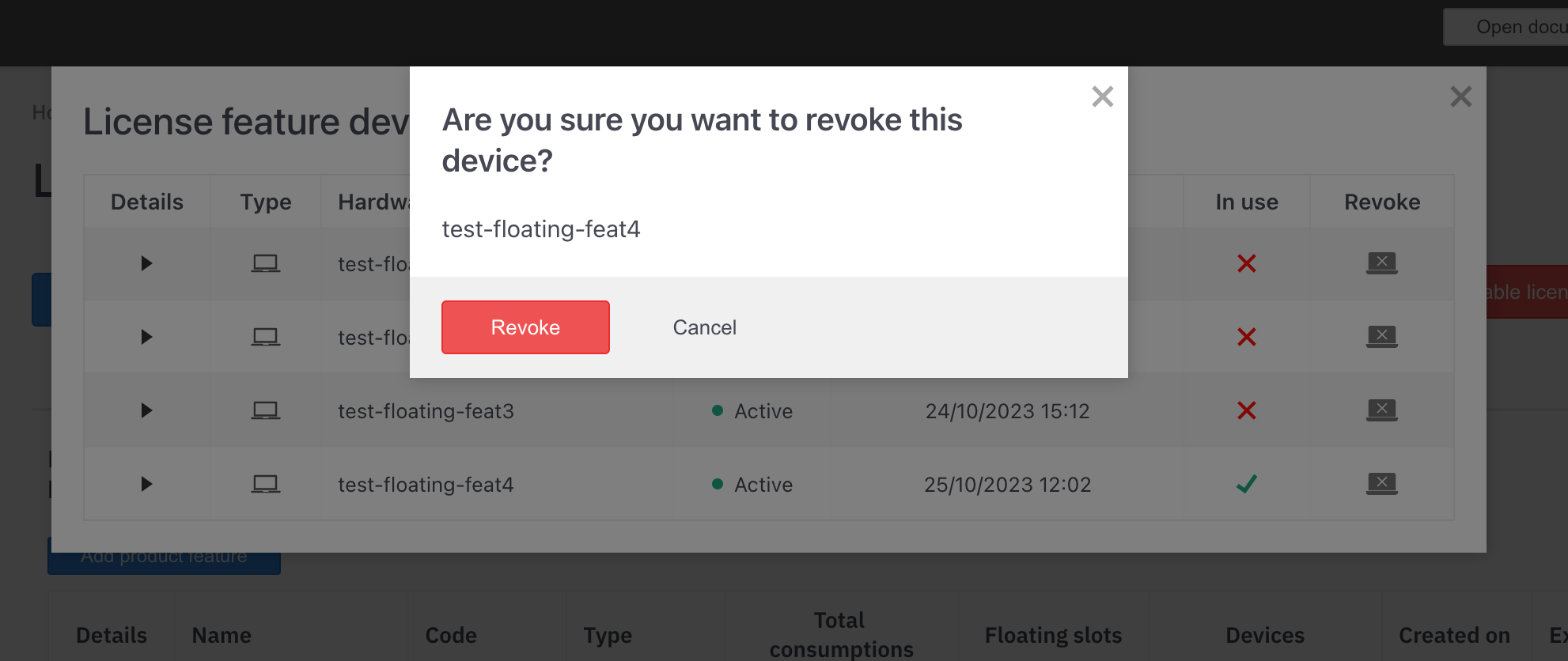
Clicking on a Devices cell for some feature will open the License feature devices pop-up with a list of all feature devices.
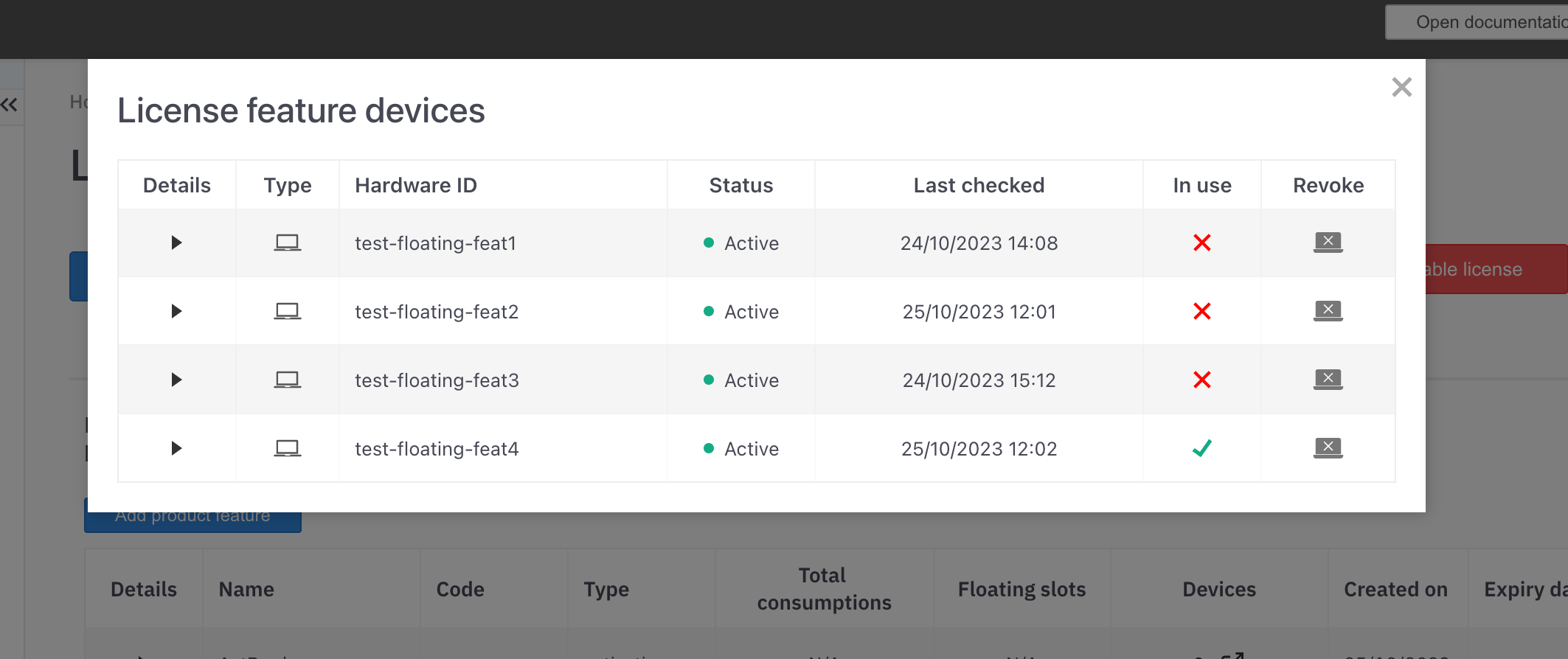
Floating feature devices will have additional columns:
In use- Boolean representing if this device is using a floating feature slotRevoke- Action button which opens a confirmation window. On confirm that device will be released and the floating slot will be opened for another device. Only devices which are in use can be revoked using the UI.
Borrowing for license floating features is not implemented at the moment.
Last updated
Was this helpful?